

Adding stocks, ETFs, mutual funds, and other securities to your Smart Portfolio:
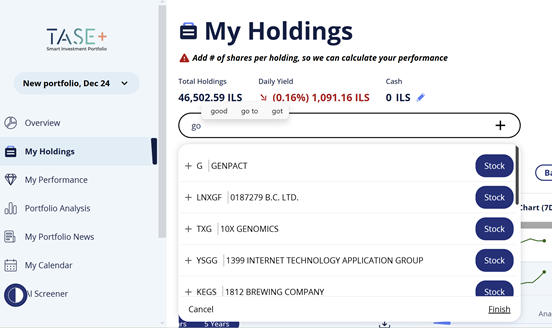
- Log in to your account. Then, go to the "My Holdings" page, where you can view all the assets in your portfolio.
- Use the search bar under the title - to find a security you want to add.
- The search allows you to select multiple securities at the same time. Once you have finished your selection, click the "Finish" button to add them to your portfolio.
To delete a security, follow these steps:
- Click on the asset
- An "X" appears at the end of the line
- After clicking on the "X", you will be prompted to confirm the deletion
These actions can be performed at any time.

