

In addition to adding or removing a security from the "My Holdings" page - you can update the number of holdings for each security separately.
After logging in to your Smart Portfolio, go to the "My Holdings" page, where, you can view all the assets in the portfolio.
In the "# Of Shares" column, you can click on the pencil symbol to edit the number of securities you own, and then on the green V to confirm.
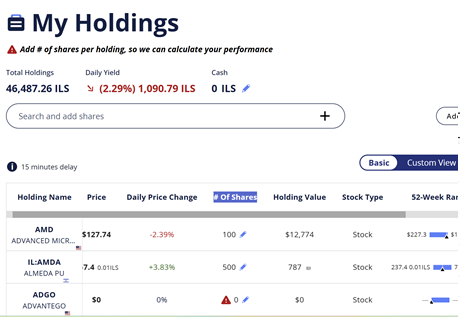
To access your transactions, follow these steps:
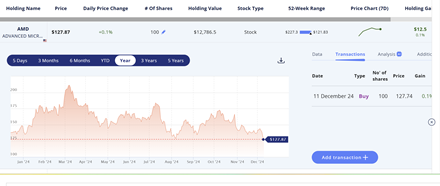
- Click on a security
- In the panel that opens below the row, click on the "Transactions" tab next to the graph
- You can edit, delete, or add transactions
How can I synchronize my investment portfolio with a TASE member?

